
Free Hostel Management Software: 12 Things to Check Before Downloading
A practical checklist for hostel and PG operators comparing free management apps without confusing a trial with a usable free plan.
Quick answer
Before downloading free hostel management software, confirm what “free” includes and whether it supports your real workflow: properties, rooms and beds, residents and documents, rent and deposits, complaints, visitors, staff permissions, notices, reports, Android or iPhone access, data exports and support. A long feature list is less useful than a complete daily process.
Some products use “free” for a short trial, a small resident limit or a plan that excludes reminders and staff access. Others have no subscription but charge for payment processing or optional services. Read the published pricing and test one property before moving every record.
The 12 checks that matter
| Check | What to verify | Why it matters |
|---|---|---|
| 1. Price | Subscription, setup, per-bed and staff fees | A free trial is not a continuing free plan |
| 2. Platforms | Android, iPhone and any required web access | Owners and staff may use different phones |
| 3. Properties | One property or multiple sites | A second hostel should not require rebuilding records |
| 4. Rooms and beds | Floor, room, sharing and individual-bed status | A partly occupied room can still contain a vacant bed |
| 5. Residents | Joining date, contacts, emergency details and assignment | Current occupancy depends on current resident records |
| 6. Documents | Upload, tenant submission, review and retained access | Records should remain organised after move-out |
| 7. Rent | Monthly records, reminders, proof and verification | Pending rent needs a current, reviewable status |
| 8. Deposits and charges | Separate records for deposits, utilities and other charges | Combining them with rent creates disputes |
| 9. Complaints | Registration, assignment, status and tenant updates | Messages are easy to forget without ownership |
| 10. Visitors | Approval, entry, exit and gate visibility | Hostel safety needs a traceable process |
| 11. Staff access | Individual accounts and property-level permissions | Shared logins weaken responsibility and privacy |
| 12. Reports and export | Useful summaries plus Excel or PDF export | You need a way to review and retain your records |
Ask what the free plan actually covers
- Does the price continue after a trial period?
- Is there a limit on properties, beds, residents or staff accounts?
- Are WhatsApp messages, payment gateways or document storage charged separately?
- Can you export records if you later change systems?
- Does the product display its current pricing and limitations publicly?
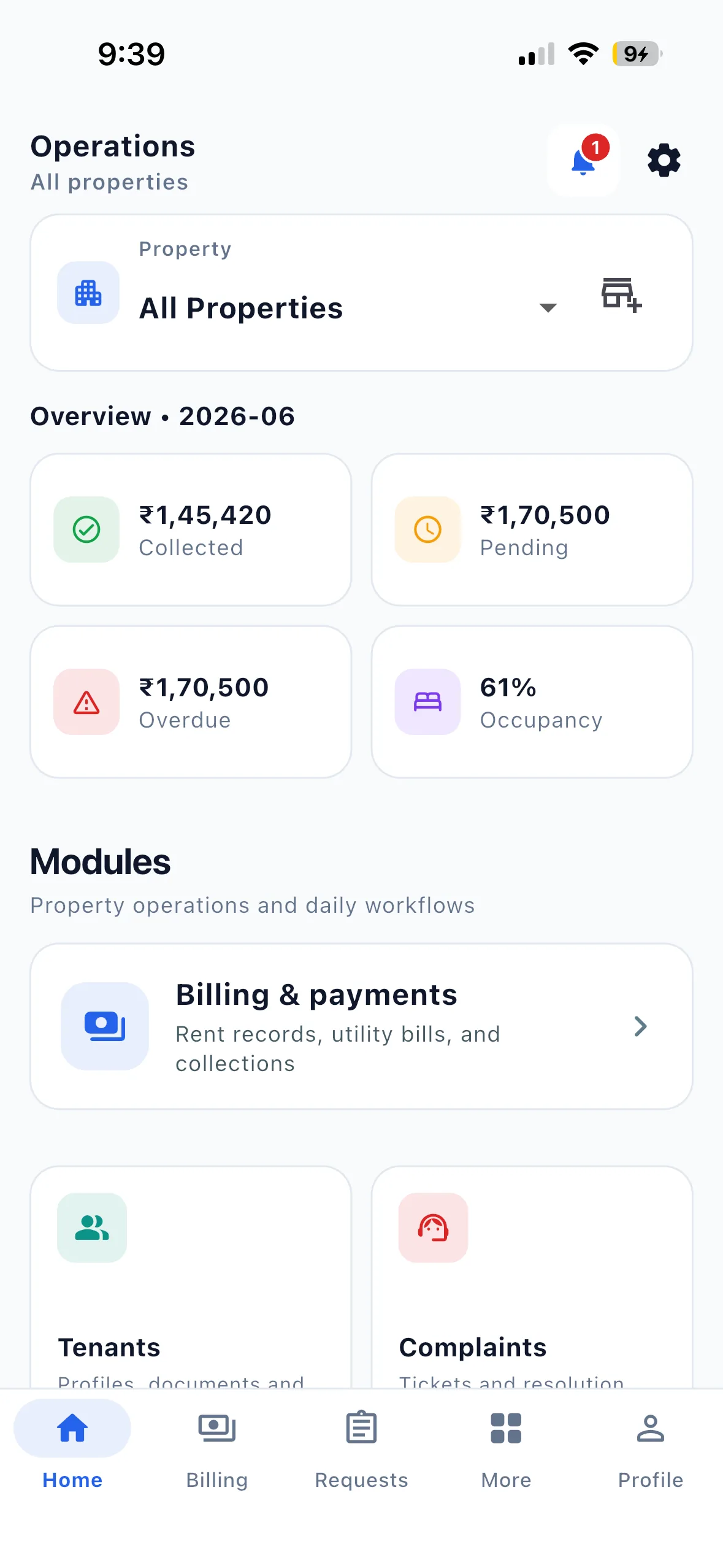
EasyAavaas currently publishes an owner price of ₹0 per month with no per-bed subscription fee. The app records rent and proof while tenants pay owners directly; it does not process or hold the money. Review the pricing page for the current scope and the rent workflow for the payment boundary.
Test one complete resident workflow
- Create one real property layout with a floor, room and individual beds.
- Add a test resident with permission and clearly labelled example information.
- Record the joining date, bed, rent, deposit and required documents.
- Create or review a rent record and check how proof and verification are separated.
- Register a complaint and confirm that the responsible person and resident can see its status.
- Check a visitor entry, send a notice and export a report.
- Remove the test data before starting with actual resident records.
Small hostel or multi-property operator?
A small hostel often has one person handling residents, rent, documents and complaints. The software should reduce that person’s repeated work without forcing a complex setup. A larger hostel may need wardens, managers and scoped access, but the underlying records should remain the same.
For hostel-specific product details, see EasyAavaas hostel management software. For multiple sites, review multi-property management and staff permissions.
Check whether WhatsApp is connected to records
A WhatsApp button alone is not operational automation. Check whether the product can use current property data to answer an authorised user, show pending rent, send reminders or notices, and record an action with confirmation. EasyAavaas documents its supported actions and limitations on the WhatsApp assistant page.
Open the relevant app area
On a phone, use the verified EasyAavaas deep links to open the dashboard, rent and billing, complaints or reports. Without the installed app, the fallback page leads to the official stores.
Make the decision from evidence
Use official product pages, app-store listings, a current demo and your own test. Treat directory claims and comparison articles as secondary evidence, especially when the publisher sells a competing product. Do not choose software from an invented review or an unexplained “best” ranking.