Everything inside

Every moving part of your property. One calm place to run it.

Rent, rooms, tenants, complaints, visitors, staff, notices, and reports stay connected—so the next action is obvious to the person responsible.

All modules below are live today · Free for owners, staff & tenants

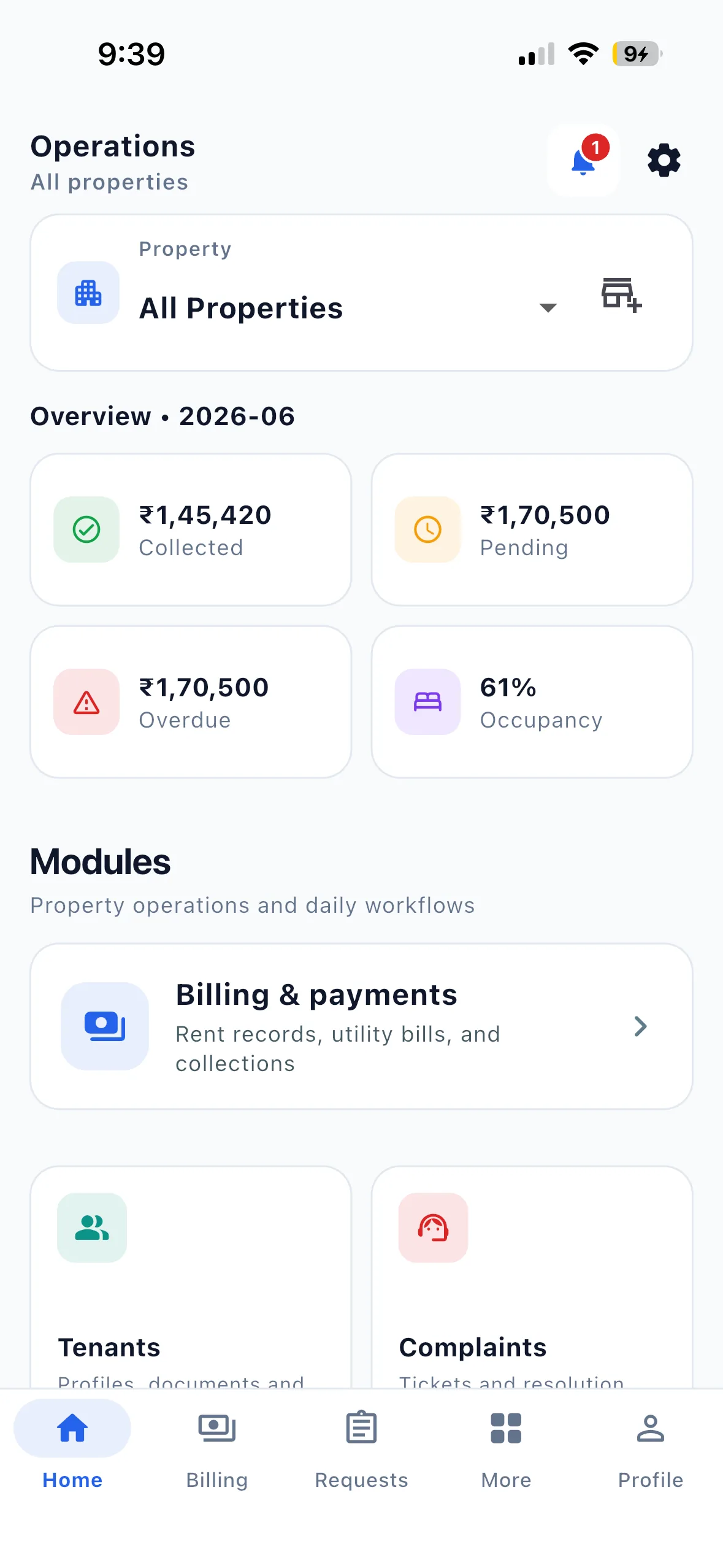
✓One operating viewRent · occupancy · open work
EasyAavaas owner home dashboard on iPhone
The whole propertyConnected from bed to report

Live modules

From the first move-in to the last month-end report.

Each module removes a hand-off that normally gets lost between a call, a chat, and a spreadsheet.

01Live

Property & room management

Set up boys, girls, or co-ed PGs with floors, rooms, beds, amenities, house rules, and join codes.

  • Property photos with a cover image
  • Per-bed or per-room rent billing modes
  • Auto status: vacant, partial, or fully occupied
  • Assign, move, and vacate tenants at bed level
02Live

Tenant lifecycle

Enroll tenants by phone, collect documents, track status, and manage the full stay journey.

  • Multi-step profile: identity, work, rent & documents
  • Statuses: active, pending, moving out, former
  • Emergency contacts on the tenant record
  • Call tenant directly from the app
03Live

Rent & utility billing

Generate monthly rent, bundle utility bills, and track collections with Indian currency formatting.

  • Electricity with meter readings & per-unit rates
  • Payment methods: UPI, cash, bank, card & more
  • Tenant payment submission with proof upload
  • Owner dashboard: collected, pending & overdue
04Live

Complaints & requests

Structured workflows for maintenance, room changes, move-outs, refunds, and payment verification.

  • Complaint categories with priority & photo attachments
  • Request types: visitor, vacate, room change, rent payment
  • Staff approve/reject with notes and audit history
  • Status threads with tenant notifications
05Live

Visitors & notices

Gate passes, announcements, and property-wide communication in one reliable channel.

  • Visitor pre-registration linked to approval workflow
  • Gate check-in and check-out tracking
  • Publish notices and updates to all members
  • Push notifications with deep links to modules
06Live

Team, inventory & alerts

Permissions, asset tracking, and an in-app notification inbox that keeps everyone aligned.

  • Granular per-member permission matrix
  • Custody items: keys, remotes & shared assets
  • Custody items flagged as outstanding at move-out
  • In-app inbox with per-category preferences
07Live

Reports & exports

Pull occupancy, rent, and tenant data into shareable reports — ready for your accountant or your records.

  • Download reports as Excel (.xlsx) or PDF
  • Occupancy, rent collection, tenant lists & more
  • Filter by property and date range
  • Available to owners and permitted staff
FeatureEasyAavaas
Rent Management✓
Occupancy Tracking✓
Visitor Management✓
Complaint Management✓
Multi Property Management✓
Analytics Dashboard✓
Tenant Management✓
Owner Roles✓
Manager Roles✓
Warden Roles✓
Tenant Self Service✓
PDF Reports✓
Excel Export✓
WhatsApp Assistant✓

See the features in action

A full product demo plus short setup tutorials, recorded in the live app.

EasyAavaas Hindi Demo — PG Management with the App & WhatsApp

A Hindi walkthrough of daily PG operations with EasyAavaas and WhatsApp: rent records, payment proof and reminders, tenant documents, utility bills, complaints, visitors, notices, team permissions and reports. Rent money goes directly to you; the app keeps the records.

Some screens and messages are reconstructed with example data. Notifications depend on the relevant settings and an available WhatsApp contact.

How to Create Your First Property | EasyAavaas Tutorial

Set up your first property end to end — OTP login, property details, location, house rules, late rent policy, and amenities.

How to Add Rooms & Manage Occupancy | EasyAavaas Tutorial

Add floors and rooms, configure sharing, set bed-wise or room-wise rent, add room amenities, and track occupancy as you assign tenants.

How to Add Your First Tenant | EasyAavaas Tutorial

Add your first tenant — assign a room, record the security deposit and rent, upload documents, add an emergency contact, and complete move-in.

All tutorials on YouTube

Go deeper

Start with the problem you feel most often.

Practical pages for the workflows that usually consume the most owner and staff time.

The details that make it usable every day

  • ✓ OTP login with Indian mobile number (+91)
  • ✓ Multi-property support with property switcher
  • ✓ Reports module with Excel & PDF export
  • ✓ English & Hindi — full app in both languages
  • ✓ In-app notification inbox with push alerts
  • ✓ Notification preferences per category
  • ✓ Profile, settings & about screen
  • ✓ Pull to refresh on dashboards
  • ✓ Search on most list screens
  • ✓ Direct phone call to tenants from app

English & Hindi — full app today

Switch the entire app between English and Hindi from Settings. Every screen, label, and workflow is translated — not just the home page.

  • EnglishEnglish
  • हिन्दीHindi
  • தமிழ்Tamil On the way
  • తెలుగుTelugu On the way
  • ಕನ್ನಡKannada On the way
  • मराठीMarathi On the way
  • বাংলাBengali On the way
  • ગુજરાતીGujarati On the way

More Indian languages are being added module by module. Languages marked on the way in the app will go live in upcoming releases.

Roadmap

What is live, what is next

A clear view of features available today and modules planned for upcoming releases.

Coming soon in the app

Screens already in the product that will go live in upcoming releases.

  • Move-in & transfers

    Dedicated check-in, check-out, and room move workflow

    Launching soon
  • Roommate connect

    Find or list roommate options within PGs

    Launching soon
  • Bookings & leads

    Booking inquiry management for owners

    Launching soon
  • Help & support

    In-app FAQs and customer support

    Launching soon

On the roadmap

Planned features we are designing and building for future releases.

  • Marketing tools

    Shareable listing links, QR codes, and lead tracking

    Launching soon
  • Digital agreements

    Rental agreements with expiry alerts and renewal

    Launching soon
  • Food menu management

    Daily meals, meal plans, and pricing for PGs

    Launching soon
  • Deposit refunds & deductions

    Refund and deduction management at move-out

    Launching soon
  • Advanced analytics

    Trend charts, year-over-year comparisons, and custom dashboards

    Launching soon

Choosing PG software

Check the workflow before you choose.

Use your own property setup in a demonstration. These questions help you compare EasyAavaas, a spreadsheet or another product against the work your team actually does.

Room and bed setup
Can you represent your sharing types and assign the correct bed? Check how unavailable beds are handled.
Rent and payment evidence
Can you distinguish a charge, a submitted payment and a verified record? Ask who receives the money.
Staff and resident access
Check what an owner, manager and tenant can see and change using their own accounts.
Reports and record access
Try the report you need and its available export. Confirm what is included instead of assuming a complete data backup.
Total price and activation
Ask about property or bed fees, any separately enabled features, usage controls and the support offered.
Setup effort
Prepare a small sample and complete the real setup steps. Confirm whether migration is manual or whether a supported import exists.


Bring the team together

Stop stitching the property together by hand.

Start with one property or bring the whole portfolio. EasyAavaas is free forever, and we will help your team get comfortable with it.