


01
Rent due
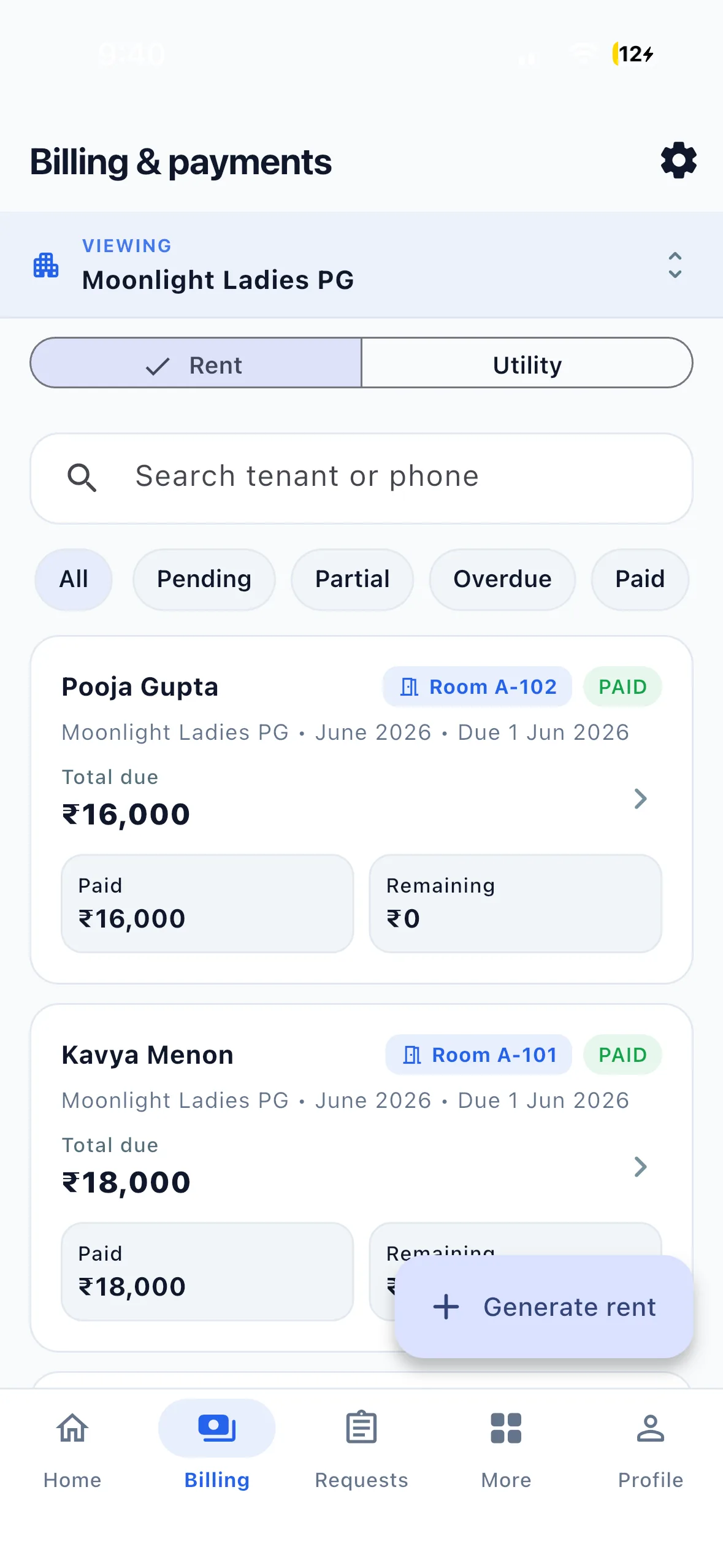
Review the assigned tenant, billing month and documented charges. The resident sees their own rent record.
Rent management software
Track PG rent dues, payment records and proof verification. Tenants pay the owner directly; EasyAavaas keeps the record and its status together.
Free forever · Live on Android & iOS · English & Hindi
From a charge to a checked record
01
Review the assigned tenant, billing month and documented charges. The resident sees their own rent record.
02
The tenant pays you through the agreed method and submits the amount, reference and proof. A submission still needs review.
03
An owner or permitted staff member checks the actual receipt and reviews the submission in the requests workflow.
For a fictional ₹7,000 monthly rent charge, a resident sends ₹7,000 directly to the owner and submits proof. The reviewer checks the receipt before confirming the record. The original charge, payment submission and review are different steps; uploading proof does not itself prove that money arrived.
Review pending or partial balances in the actual record before following up. Owners and permitted staff can export the supported rent report as Excel or PDF. A reminder asks the resident to act; it does not collect the money. WhatsApp assistant access and write actions remain subject to activation, permissions and the applicable confirmation.
Why this matters
Most PG, hostel, and co-living operators still manage rent through scattered tools. As occupancy grows, the process breaks down — and revenue leaks quietly.
EasyAavaas replaces screenshot threads with a structured rent workflow — live today for owners, managers, and tenants. EasyAavaas does not process fund transfers; tenants pay via UPI, cash, or bank transfer and submit proof in the app.
All features listed above are live in the app today.
Leave this behind:
Tenants see what they owe, submit proof once, and staff verify in a defined workflow. Owners see collected vs pending at a glance — and export month-end numbers for the accountant for review.
Read: A practical PG rent management guide →Watch the Hindi product demo and relevant setup tutorials from our YouTube channel.
A Hindi walkthrough of daily PG operations with EasyAavaas and WhatsApp: rent records, payment proof and reminders, tenant documents, utility bills, complaints, visitors, notices, team permissions and reports. Rent money goes directly to you; the app keeps the records.
Some screens and messages are reconstructed with example data. Notifications depend on the relevant settings and an available WhatsApp contact.
Add your first tenant — assign a room, record the security deposit and rent, upload documents, add an emergency contact, and complete move-in.
Common questions about rent management software with EasyAavaas.
Tenants view rent dues and submit payment with method, UTR/reference, and proof upload. EasyAavaas tracks and verifies payments but does not process fund transfers — rent is paid directly between tenant and owner via UPI, cash, or bank transfer.
Tenants submit payment proof through the app. Staff with permission review the proof and verify or reject through the requests workflow. Once verified, rent is marked paid with an audit trail.
Yes. One owner account can manage multiple PGs, hostels, or co-living properties. Switch between properties from any module and filter reports by property.
Yes. Electricity can be tracked with meter readings and per-unit rates. Utilities can be bundled into monthly rent statements so charges are documented and disputes are reduced.
Yes. EasyAavaas is free for owners, managers, staff, and tenants — including all live rent and billing features. No per-bed fees or subscription required.
Yes. Owners and permitted staff can generate rent collection reports from the Reports module and download them as Excel (.xlsx) or PDF — useful for accountants and record-keeping.
Explore other operational modules — or combine them on one platform.
Bring the team together
Stop chasing rent on WhatsApp — dues, proof and verification in one place, for PG, hostel and co-living operators across India. Free download — or request a demo for onboarding help.