
For managers and wardens
A PG manager and hostel warden app for the daily round
EasyAavaas gives PG managers and hostel wardens their own login to the owner’s property in the free Android and iOS app. By default a manager or warden can check rooms and beds, verify tenant payments, handle complaints, approve visitors and review tenant documents for the properties they are added to. The owner sets each person’s permissions, and a few actions stay with the owner.

How you get access
The owner adds you. You sign in with your own number.
The owner adds you to the property as a manager, warden, accountant, staff or support member using your mobile number. Download EasyAavaas, sign in with that number and the one-time code, and the property appears. You only see the properties you are added to; if you work at more than one, switch between them in the app.
Working across several properties →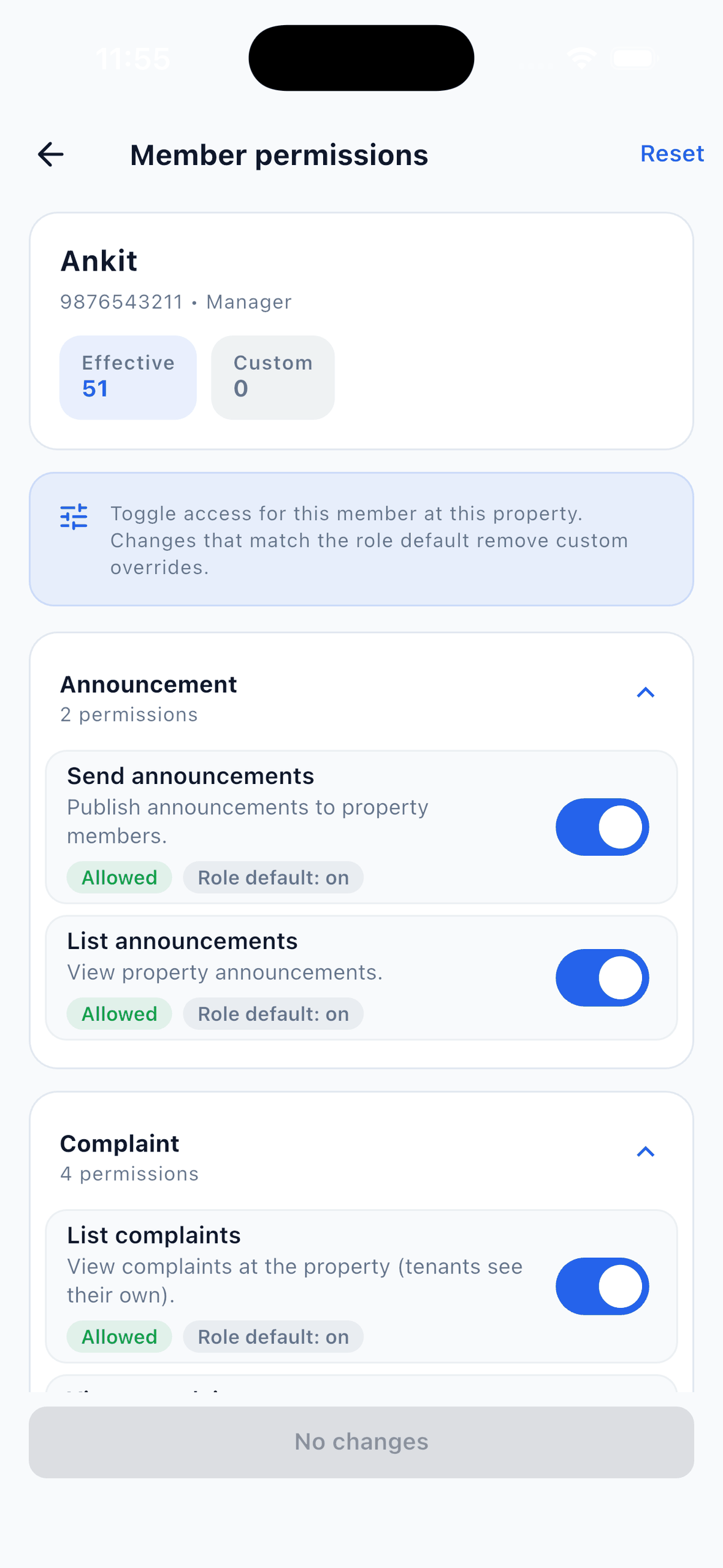
Default access by role
Manager and Warden
The same operational access: tenants, rooms and beds, rent, deposits, recording and verifying payments, complaints, requests, visitors, notices, electricity and other bills, inventory and reports. They can also add team members and change other members’ permissions.
Cannot delete the property or let a tenant move out with an issued item still outstanding.
Accountant, Staff and Support
View the property and team list, and send and read notices.
No rent, payment, tenant, complaint or visitor access until the owner switches those permissions on for that person.
Owner
Everything, in every property they own.
Decides each member’s permissions. Their own access cannot be reduced by staff.
Defaults as of 23 October 2026. The owner can turn any permission on or off for one person without changing the role. The full permission list is on the role-based access page.
Read the role and permission guide →A manager’s daily checklist
The daily round, under the default manager permissions.
This is what a manager or warden can do with the access EasyAavaas gives those roles by default. If the owner has switched a permission off for you, that step is the owner’s.
01 · MORNING
Check rooms, beds and what is waiting
Open the home screen for collected, pending and overdue rent and the occupancy rate, then check the requests and tenant payments waiting for you. In the rooms view, each room shows as vacant, partly occupied or fully occupied, bed by bed. Mark a room under maintenance while it is being repaired.
The app does not reserve or hold a bed for someone arriving next week, so agree incoming move-ins with the owner before promising a bed.
How room and bed tracking works →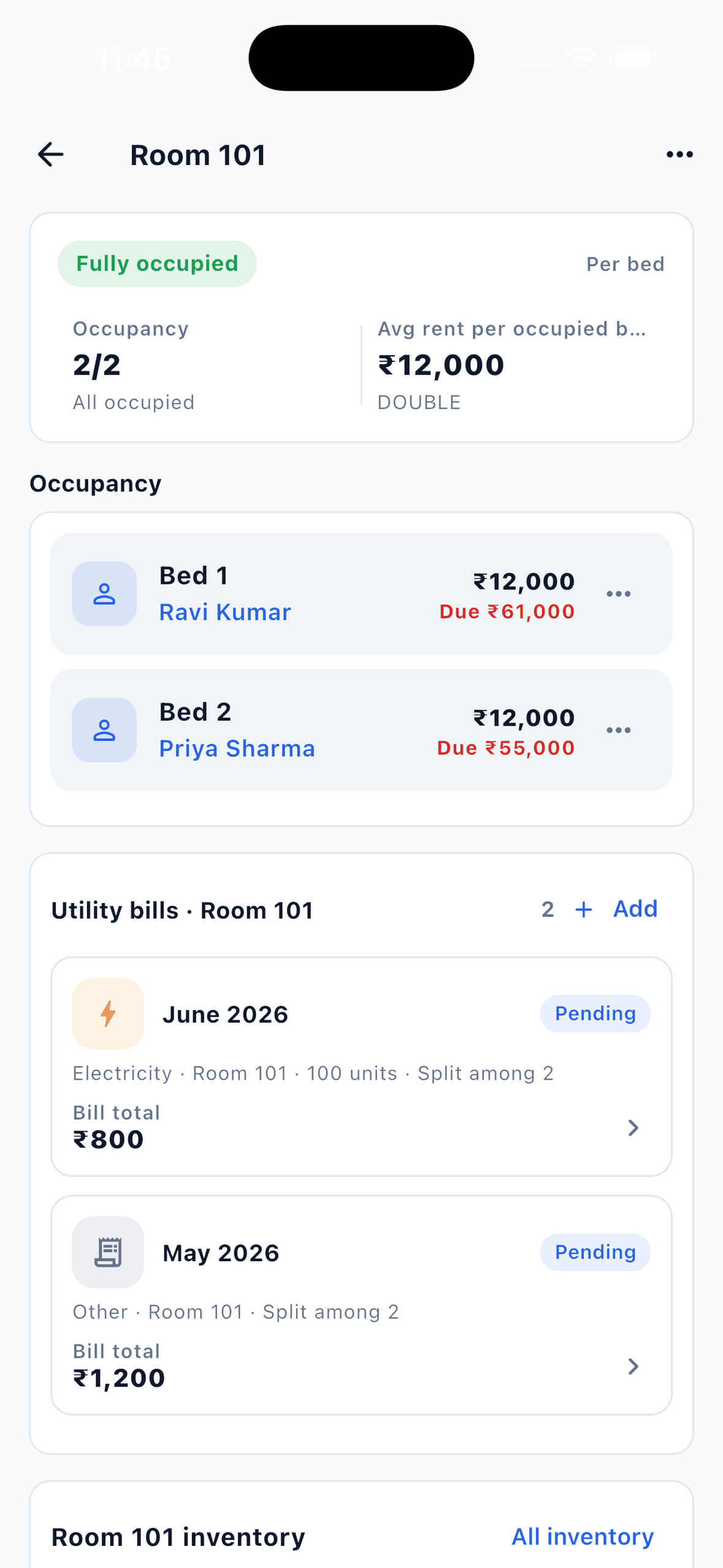
A room with bed-wise tenants, rent and dues. Example records on a test property. 02 · THROUGH THE DAY
Verify payments, and hand cash over cleanly
When a tenant submits a payment, it arrives as pending with the amount, method, UTR and screenshot. Approve it, change the approved amount if only part arrived, or reject it with a reason the tenant can read.
If the money went to the owner’s UPI or bank account, you may not be able to see it. Agree with the owner who confirms receipt before you approve. Cash you collect yourself can be recorded straight away, and the Rent Ledger report shows who collected each payment.
The full rent and payment workflow →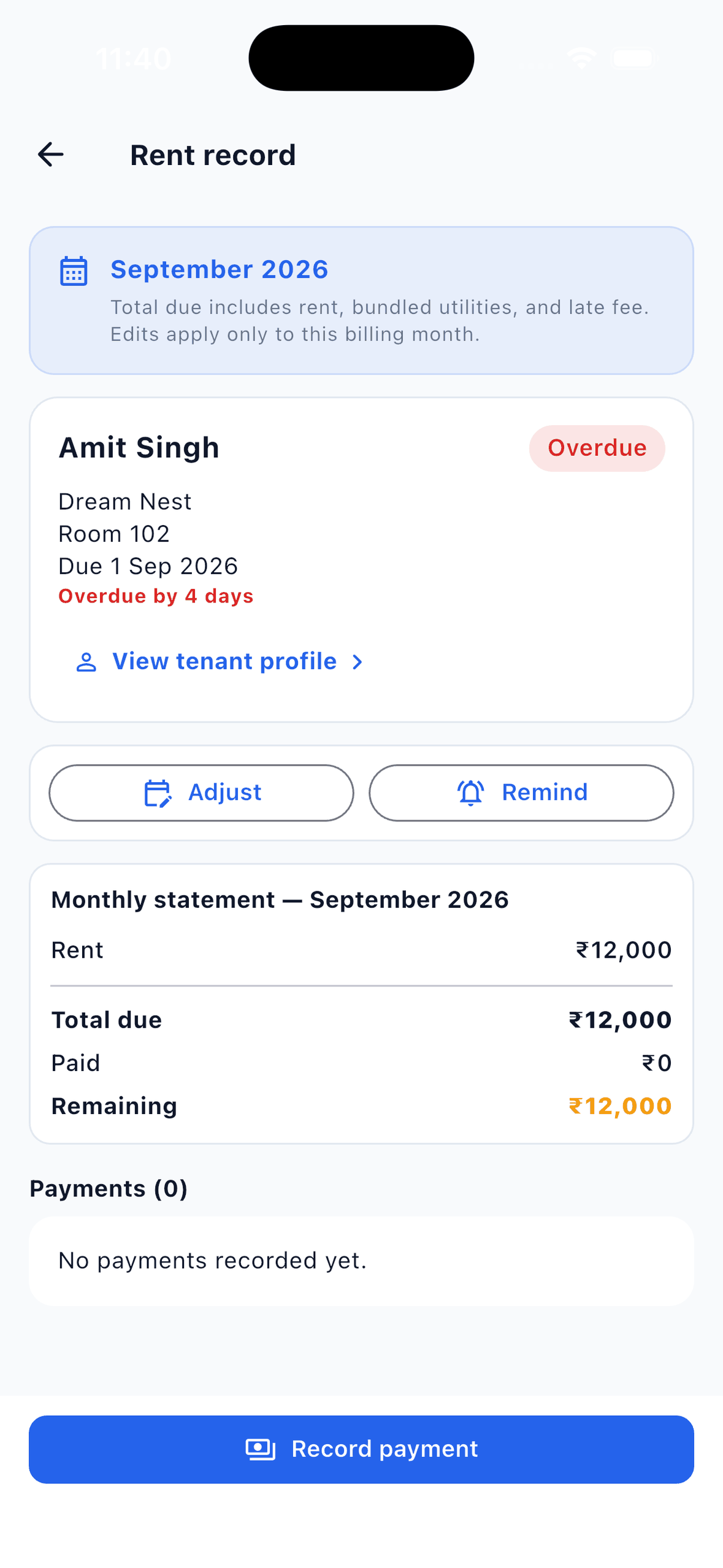
One month’s rent statement with Send reminder and Record payment. Example records on a test property. 03 · THROUGH THE DAY
Move complaints from open to resolved
Assign a complaint to a staff member and it moves to in progress. Set the priority, post public updates the tenant can see or internal notes for the team, and attach photos when you resolve it.
A complaint left unresolved for 24 hours is raised one priority level at the next daily check, and the owner, managers and the assigned person are alerted. The tenant is notified when a public update is posted and when the complaint is resolved or closed.
How complaint tracking works →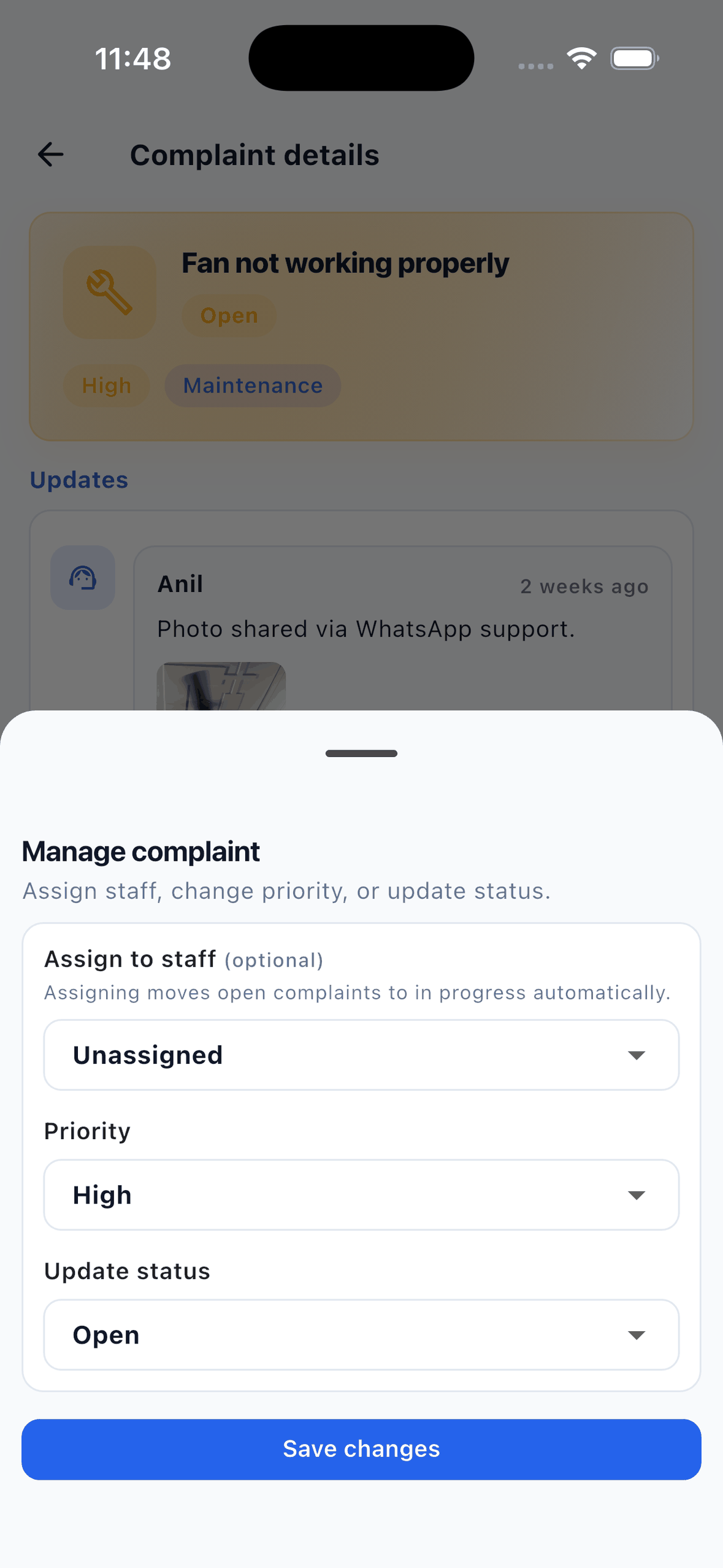
Assigning staff, priority and status on a complaint. Example records on a test property. 04 · AT THE GATE
Approve visitors the tenant registered
Tenants pre-register their guests in the app. You approve or deny the request, check the visitor in on arrival and check them out when they leave. ID proof is a short text note, not a photo.
Staff cannot add a walk-in visitor in the app. Ask the tenant to register the guest from their phone, or keep your gate register for walk-ins.
How visitor records work →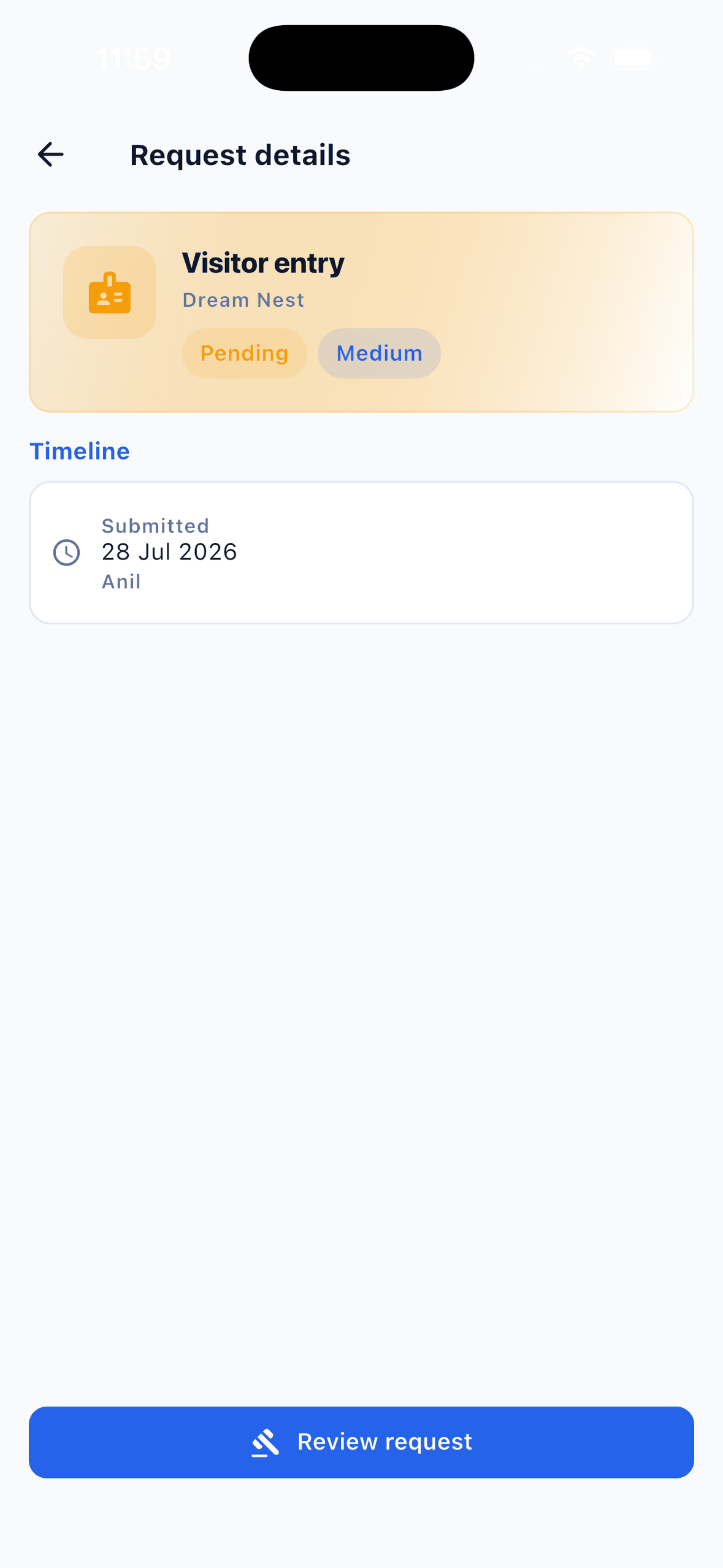
A visitor entry request waiting for review. Example records on a test property. 05 · NEW ARRIVALS
Add tenants and review their documents
Add a new tenant, assign the bed and upload documents to their profile, or ask the tenant to upload them from their own app. After review, mark the profile verified: the record keeps who verified it and when, and a new upload clears the mark.
Agree with the owner whether you or they give the final review. This is a document check by the property team, not government ID verification.
Tenant records and document review →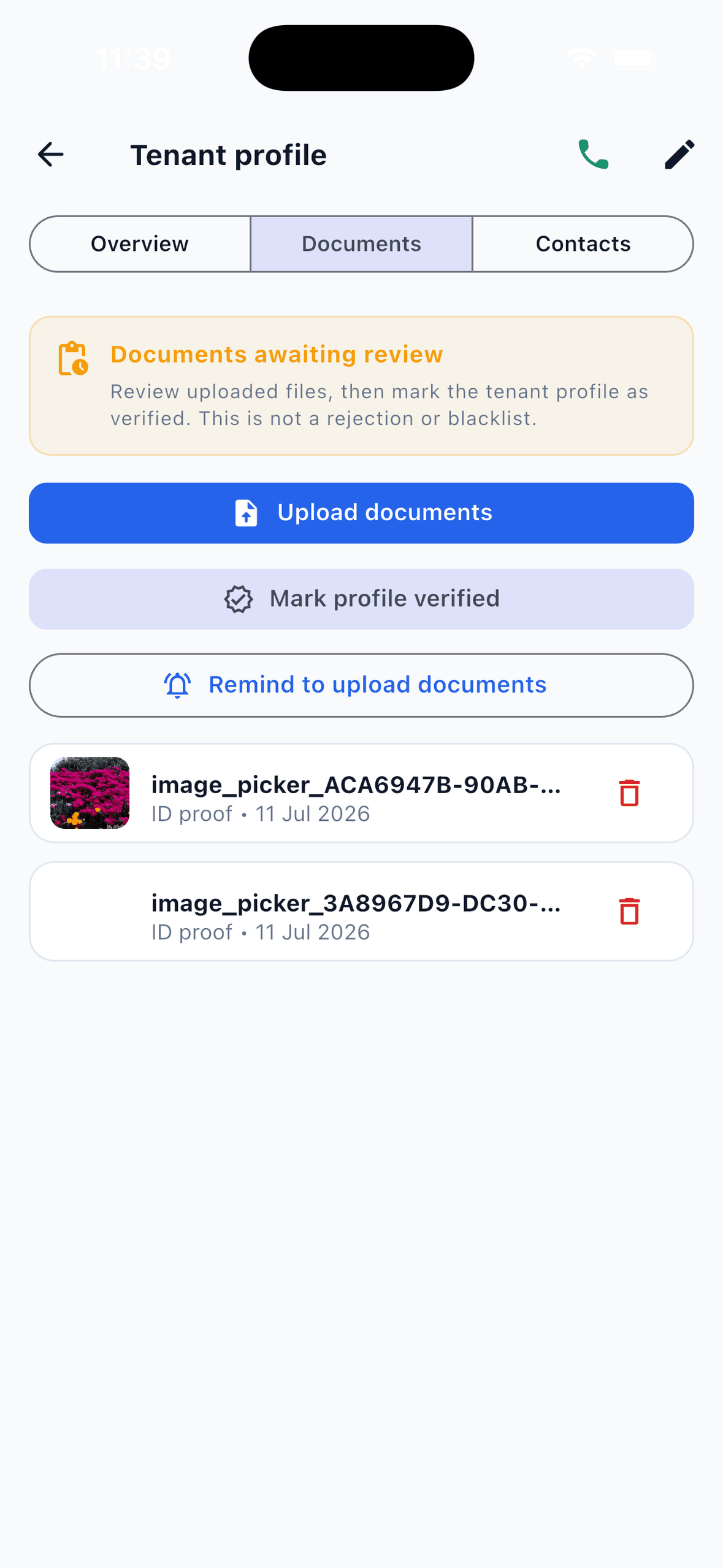
Documents awaiting review with Mark documents verified. Example records on a test property. 06 · REQUESTS
Handle room changes, move-outs and notices
Approve or reject room change, vacate and move-out requests with a note. A move-out stays blocked until rent is settled, issued items such as keys are returned and the deposit is settled or marked for refund later. Refunds are recorded in the app; the money itself is paid outside it.
Send a notice, or a high-priority update, to every active member of the property in one step.
Deposit and checkout records →
Handoffs
What still needs the owner.
- Deleting the property.
- Overriding an unreturned key or other issued item so a tenant can move out.
- Changing your own permissions. Nobody can edit their own access; ask the owner.
- Money outside the app: confirming that rent reached the owner’s bank or UPI, and deciding deposit refunds and deductions. The app records only the refund and a note.
- Requests to the EasyAavaas team for the property, such as a different rent due day or grace period, or WhatsApp assistant access for a team member.
Agree these with your owner on day one
- Who confirms that a tenant’s UPI or bank payment arrived before it is approved.
- How cash you collect reaches the owner, and when.
- Who gives the final review on tenant documents.
- Which complaints you can close yourself, and which need the owner told first.
Managing several buildings? Each person’s access is set per property.
Multi-property management →Manager and warden questions
Can a warden have less access than a manager?
Yes. Both start with the same operational access, and the owner can switch off individual permissions for one person, for example rent and payment verification for a warden who only handles the gate and complaints.
Can an accountant see rent and payments?
Not by default. The Accountant role starts with only the property, team list and notices. The owner switches on rent, payment and report permissions for that person in Member permissions.
Can I log a walk-in visitor?
No. In the app only tenants register visitors. Staff approve or deny the request and check the visitor in and out. For walk-ins, ask the tenant to register the guest or keep a gate register.
Can a manager use the WhatsApp assistant?
Yes, once the EasyAavaas team activates it for that person. It follows the same permissions as the app, and every change needs a tap on a confirmation card before it is saved.
What happens when a manager leaves?
The owner marks the member inactive or removes them from the property. Inactive members lose access to that property in the app.


Bring the team together
Give your team one shared record.
Owners add managers and wardens from the app, free. Each person gets their own login and only the access you choose.