


Tenant records
Joining date, room or bed, monthly rent, security deposit, work details and several emergency contacts in one record per tenant. See tenant management software for the full field list.
Property management
For landlords in India who let rooms or beds by the month: tenant records, rent tracking and payment proof, documents, complaints and staff across one or several properties.
EasyAavaas is ₹0 forever for landlords, staff and tenants, with no per-bed or per-property fee. It is built for shared rooms, PG-style rentals and long-stay room rentals, not for hotels, brokers or housing-society accounts.
Practical guide · Live product workflow · Built for India · Updated

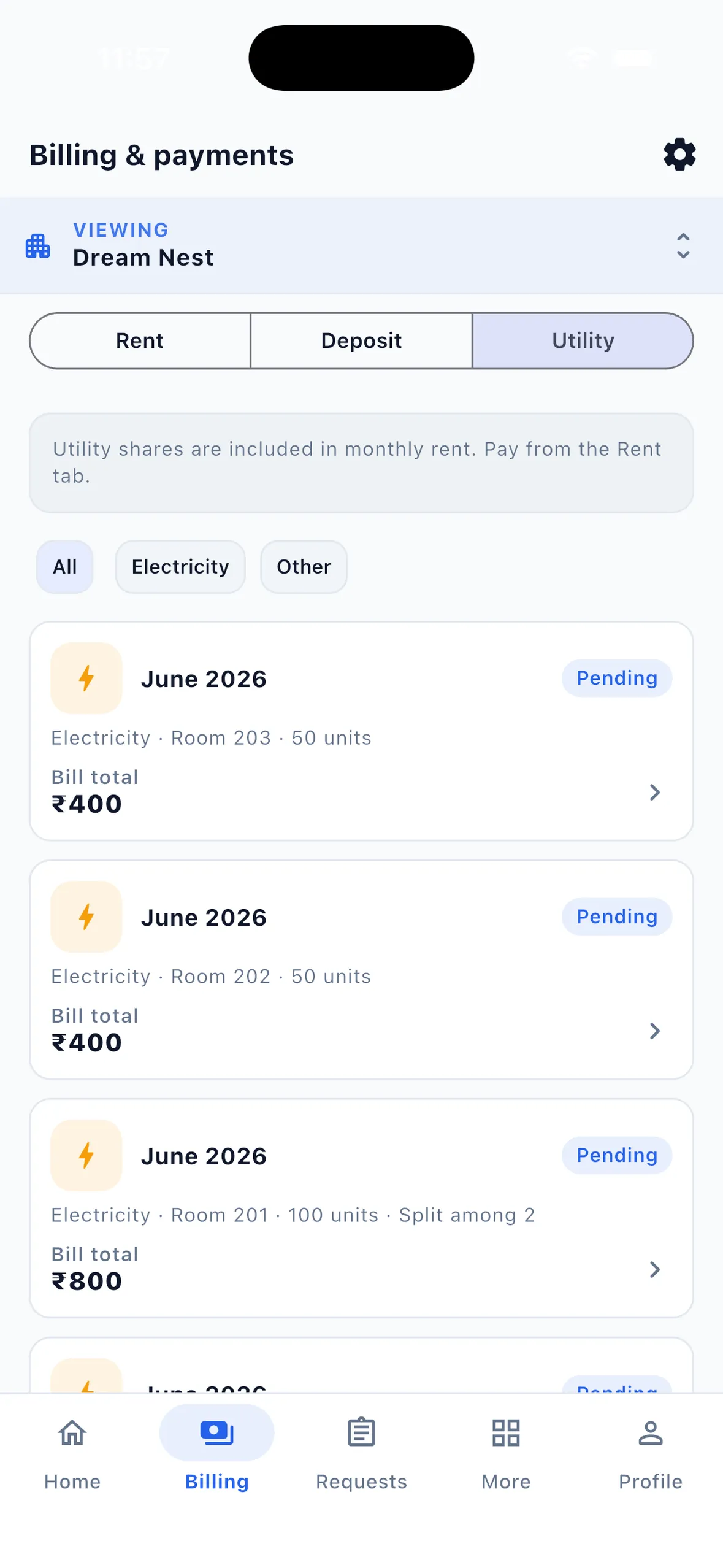
Product screen with example figures, not customer totals.
EasyAavaas is free rental property management software for landlords in India who let rooms or beds by the month. It keeps occupancy, tenant records and documents, rent and direct-payment records, deposits, utility bills, expenses, complaints, visitors, inventory, notices, reports and staff access for one or several properties. Owners and authorised staff can use Android, iOS or the owner web portal; tenants use the app. It suits shared rooms, PG-style rentals and long-stay room rentals. It is not hotel booking software, a brokerage listing site or housing-society accounting software.
EasyAavaas sets up every property as floors, rooms and beds, with tenants assigned to a bed or a room and a monthly rent record for each. That fits any long-stay rental let by the room or by the bed, whatever the property calls itself. When you create a property you choose boys, girls or co-ed.
| Your property | Fit | How to set it up |
|---|---|---|
| PG or paying guest accommodation | Built for it | Rooms with shared beds and per-bed rent for each tenant. |
| Student or working hostel | Fits residential operations | Floors, rooms, beds and warden permissions. No attendance, mess or academic features. |
| Co-living or staff housing | Fits | Shared rooms on per-bed billing, private rooms on per-room billing, one property per location. |
| Bedrooms in a house or flat let individually | Fits | The flat or house is the property and each bedroom is a room, on per-bed or per-room billing. |
| Long-stay single rooms let by the month | Fits | One room per tenant on per-room billing. |
| A whole flat or house leased to one family | Not designed for it | There are no lease, unit or society-dues records. A one-room setup can track the monthly rent, but test it before relying on it. |
| Shops, offices and commercial space | Not supported | Use commercial lease software. |
| Hotel rooms or homestays booked by the night | Not supported | Use hotel or homestay booking software. |
Example with illustrative figures: a landlord lets a 3BHK flat to five working professionals. Two bedrooms are twin-sharing at ₹9,000 a bed; the third is a single room at ₹14,000.
Hypothetical flat with illustrative figures, not market rents or a customer story. For splitting one meter across rooms, try the PG electricity bill calculator.
These four records are what a landlord who lets rooms checks most often. Each one is tied to the tenant and the room, so the caretaker, the landlord and the tenant look at the same figures and the same history.

Joining date, room or bed, monthly rent, security deposit, work details and several emergency contacts in one record per tenant. See tenant management software for the full field list.
A rent record per tenant each month, marked pending, part-paid, paid or overdue. Tenants pay you directly; you record the payment or approve their proof. One automatic reminder goes 3 days before the due date and one overdue message after the grace period. See rent management.
Tenants or your staff upload ID proof, address proof and the signed rental agreement. You review them and mark the profile verified. There is no Aadhaar, DigiLocker or police verification.
Tenants raise complaints with a category, priority and photos. You assign them, post updates and resolve them; anything open for 24 hours is escalated to you.
“Property management software” covers very different products in India. EasyAavaas is the operations app for a landlord who already has long-stay tenants in rooms or beds.
| Software type | What it is for | EasyAavaas |
|---|---|---|
| Hotel PMS and booking | Nightly reservations, booking channels, room inventory by date. | No bookings, channel manager or nightly rates. Tenants stay by the month. |
| Brokerage and listing apps | Finding tenants, publishing listings, brokerage fees. | Does not list rooms or find tenants. It manages the tenants you already have. |
| Housing society accounting | Maintenance dues from flat owners, society ledgers and invoices. | Not supported. It tracks rent from your tenants, not society maintenance. |
| Accounting and tax software | Expenses, profit and loss, GST invoices and filing. | Not supported. Export the Rent Ledger as Excel or PDF for your accountant. |
| Lease management | Drafting, e-signing and renewing leases, rent escalations. | Not supported. Upload the signed agreement as a tenant document. |
EasyAavaas is free forever for landlords, staff and tenants: ₹0 a month, no per-bed or per-property fee, no setup fee and no commission on rent. Tenants pay you directly by UPI, cash or bank transfer; EasyAavaas records the payment and its proof but never collects or holds the money. Rent reminders on WhatsApp are included, and the WhatsApp AI assistant is included free after the team activates your account.
Common questions about property management with EasyAavaas.
Yes. EasyAavaas is free forever for landlords, staff and tenants in India, with no per-bed or per-property fee and no commission on rent. It runs on Android and iOS.
Long-stay rentals let by the room or by the bed: PGs, hostels, co-living, staff housing, bedrooms in a flat or house let individually, and single rooms let by the month.
It is not designed for that. There are no lease, unit or society-dues records. You can track the monthly rent with a one-room setup, but test it first and keep your lease records separately.
Yes. Add as many properties as you have under one account, switch between them or view them together on the dashboard. Reports are exported per property.
No. Tenants pay you directly. You record the payment or approve the proof a tenant submits after checking your bank or UPI app. EasyAavaas does not process payments or reconcile bank accounts.
No. It does not take bookings, list rooms or find tenants. It manages the long-stay tenants, rent and complaints of properties you already run.
Short videos from our YouTube channel showing these workflows in the live app.
A Hindi walkthrough of daily PG operations with EasyAavaas and WhatsApp: rent records, payment proof and reminders, tenant documents, utility bills, complaints, visitors, notices, team permissions and reports. Rent money goes directly to you; the app keeps the records.
Some screens and messages are reconstructed with example data. Notifications depend on the relevant settings and an available WhatsApp contact.
Add your first tenant — assign a room, record the security deposit and rent, upload documents, add an emergency contact, and complete move-in.
Continue with the page that answers your next question.
Bring the team together
Download the free app, set up one property and one tenant, and follow a month’s rent through to payment. Not sure your property fits? Message the team on WhatsApp at +91 78787 65818.