

PG Rent Management: Dues, Payment Proof and Pending Balances
A practical PG rent workflow: separate charges, verified payments and outstanding balances, with a worked register example and owner checks.
Keep the amount due, the payment record and its verification status separate. A payment screenshot is evidence to review; it is not the same thing as a reconciled balance. This guide explains an operating workflow for PG owners and staff.
Start with one billing-period snapshot
Record the property, room or bed, resident reference, billing month, agreed rent and due date. Check changes such as a move-in or agreed adjustment before sending reminders. Deposits and utility charges need their own clearly identified records; do not silently include them in a rent-only total.
Separate each step in the payment workflow
| Stage | Meaning | Operator action |
|---|---|---|
| Amount due | An agreed charge for the period | Check the dates and any adjustment |
| Proof submitted | A resident has supplied payment details | Review against the actual payment received |
| Payment verified | The permitted reviewer has accepted the payment record | Check the remaining balance |
| Outstanding | Part of the charge remains unsettled | Contact the resident using the current record |
Tenants pay owners directly through their agreed method. EasyAavaas keeps rent and payment-proof records; it does not transfer the money. Do not tell a resident that their payment is verified simply because an image was uploaded.
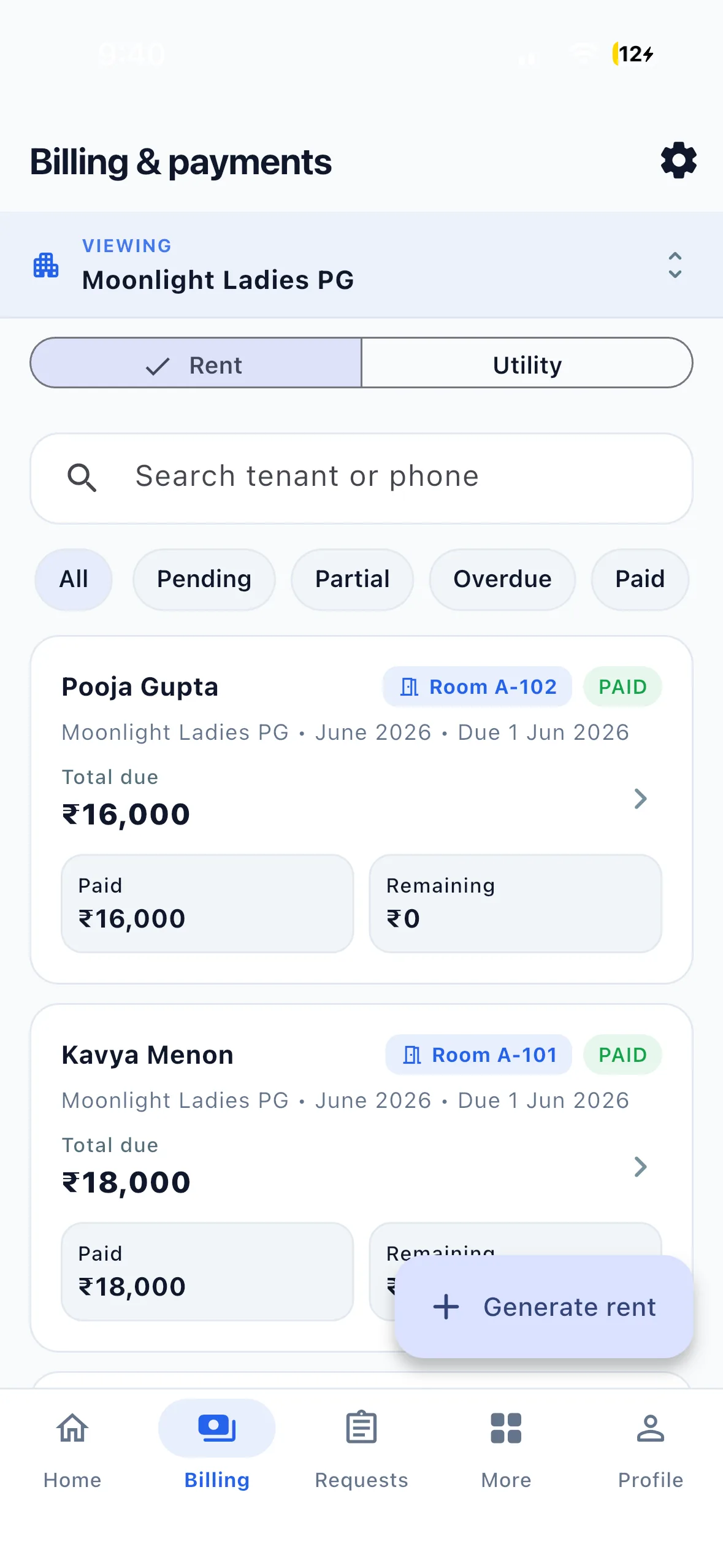
A worked monthly register
These are fictional rent-only examples. There are no deposits, utilities, concessions or reversals in this table.
| Resident reference | Rent charge | Verified payments | Outstanding |
|---|---|---|---|
| Resident A | ₹7,000 | ₹5,000 | ₹2,000 |
| Resident B | ₹7,000 | ₹0 | ₹7,000 |
| Resident C | ₹7,000 | ₹7,000 | ₹0 |
| Total | ₹21,000 | ₹12,000 | ₹9,000 |
An unverified payment is not added to the verified column. If a payment exceeds the charge, record the credit separately instead of displaying a negative outstanding balance. When correcting a mistake, preserve the reason and check how the current app handles the correction before changing a financial record.
Use a repeatable review routine
- Before the billing period: confirm assignments, agreed rent and any documented adjustments.
- During the period: review new proof, record verification and check outstanding balances.
- Before reminders: refresh the list so residents who have paid are not chased using an old screenshot.
- At period close: compare verified records with your actual receipts, review credits and export the appropriate report.
Give the right person access
Use individual staff accounts with appropriate property permissions. Agree who reviews payment proof and who handles corrections. A shared login makes it harder to understand who changed a record. Reports should be exported and shared only by permitted users for a defined purpose.
Questions owners commonly ask
Does a reminder collect the rent? No. A reminder asks the resident to take a next step. Is a proof upload enough? It still needs the appropriate review. Does a spreadsheet work? It can, provided someone maintains consistent records and access; compare your actual workflow rather than assuming a bed-count threshold.
Use the rent register template for a basic monthly record and the WhatsApp reminder templates for private follow-up. The Excel comparison explains the setup trade-offs.