Free PG owner resource · Excel download
PG rent register template (Excel)
The EasyAavaas PG rent register is a free Excel template for PG, hostel and co-living owners who track rent by hand. Each row records rent due, amount received, payment date, method, proof reference and the pending balance, and a separate sheet keeps security deposits out of rent. Download it without signing up. When you want automatic reminders and payment-proof review, the free EasyAavaas app keeps the same records on your phone.
By EasyAavaas Team · Updated
Download the rent register (version 2)
Four sheets: Instructions, a fictional Worked example, a Blank register and a separate Deposit log. Blue cells are for your entries; grey cells hold formulas. Columns: month, property, room or bed, tenant reference, rent due, adjustment, amount received, payment date, method, proof reference, notes, then the calculated net due, pending balance, advance, status and row check.
Using the older file? Version 1 (no payment date, method or proof columns) still downloads: pg-rent-register-v1.xlsx.
Version 2 · 23 October 2026 · 200 entry rows · Excel .xlsx · No macros · No signup
Sample rows from the worked example
One row per tenant per month, plus one row for each extra payment. T-02 paid in two parts, so the first row shows Earlier entry and the second row carries the balance.
| Tenant ref. | Room / bed | Rent due (₹) | Adjustment (₹) | Received (₹) | Payment date | Method | Proof reference | Pending balance (₹) | Status |
|---|---|---|---|---|---|---|---|---|---|
| T-01 | 101 / A | 7,000 | 0 | 7,000 | 03 Oct 2026 | UPI | UTR …4821 | 0 | Paid |
| T-02 | 101 / B | 7,000 | 0 | 4,000 | 05 Oct 2026 | Cash | Receipt R-014 | — | Earlier entry |
| T-03 | 102 / A | 6,500 | +450 | 5,000 | 06 Oct 2026 | Bank transfer | Ref …3302 | 1,950 | Part paid |
| T-04 | 102 / B | 6,500 | −500 | 0 | — | — | — | 6,000 | Unpaid |
| T-05 | 103 / A | 8,000 | 0 | 9,000 | 01 Oct 2026 | UPI | UTR …1188 | 0 (advance 1,000) | Advance |
| T-02 | 101 / B | 0 | — | 3,000 | 15 Oct 2026 | UPI | UTR …7710 | 0 | Paid |
| Totals | 35,000 | −50 | 28,000 | 7,950 | 2 pending |
How to use the monthly rent register
- Save a private copy for each property. Read the Instructions sheet and look through the Worked example first.
- In Blank register, add one row per tenant for the month: type the month as
Oct 2026, then the property, room or bed, a tenant reference such as T-101, the rent due and any adjustment. - When money arrives, confirm it in your bank or UPI app or count the cash. Then enter the amount received, payment date, method and a proof reference: the last few characters of the UTR or bank reference, a cheque number or your cash receipt number. A screenshot alone is not confirmation.
- If the tenant pays in parts, add another row for the same tenant and month with rent due 0, so each payment keeps its own date and proof.
- Read Pending balance and Status on each tenant’s latest row. Fix any row marked Check inputs before you use the totals; rows marked Add payment date, Add method or Add proof reference are counted but incomplete.
What the formulas calculate, and their limits
- Net due = rent due + adjustment.
- Balance after this entry = all net due − all money received for the same tenant reference and month, up to and including that row.
- Pending balance (still due) = the larger of that balance or 0, shown only on the tenant’s latest row for the month. Advance = the larger of the negative balance or 0. Neither is repeated on earlier rows, so totals never count a balance twice.
- Totals show Check rows while any row has a missing or invalid required field. Check: total net due − total received = total pending − total advance.
In the worked example, net due is ₹34,950 (₹35,000 rent, +₹450 electricity share, −₹500 agreed discount) and ₹28,000 has been received. Pending is ₹7,950 (T-03 ₹1,950 and T-04 ₹6,000) and T-05 has a ₹1,000 advance: ₹34,950 − ₹28,000 = ₹7,950 − ₹1,000.
The formulas do not create next month’s rows, carry a pending balance forward, pro-rate a part month, add late fees or prove that a payment arrived. To carry a balance forward, add it as a positive adjustment in the next month with a note. Rows are matched only when the month and tenant reference are typed exactly the same, and each copy holds 200 rows.
Keep security deposits separate from rent
A security deposit is refundable money you hold for the tenant, not rent received. If it goes into the rent register, that month looks better than it was and the refund is hard to settle at move-out. The Deposit log sheet records the deposit agreed, amount received, date, method, proof reference, amount refunded and any amount kept with its reason, then calculates the balance you still hold and anything still to collect.
Write the reason for any amount kept, get the tenant’s acknowledgement, and follow your agreement and current local rules. The deposit and checkout records guide has a move-out checklist, and the free PG inventory register records the keys and furniture to check back before you settle a deposit.
Moving your records into EasyAavaas
EasyAavaas does not import Excel or CSV files. You move across through the app’s own setup, and keep this register as the record of earlier months.
- Create the property, then floors and rooms with their beds, choosing per-bed or whole-room billing for each room.
- Add current tenants one by one with the add-tenant wizard, or up to 25 at once from your phone contacts with floor, room, bed, rent, deposit and move-in date. Only the people you pick are saved.
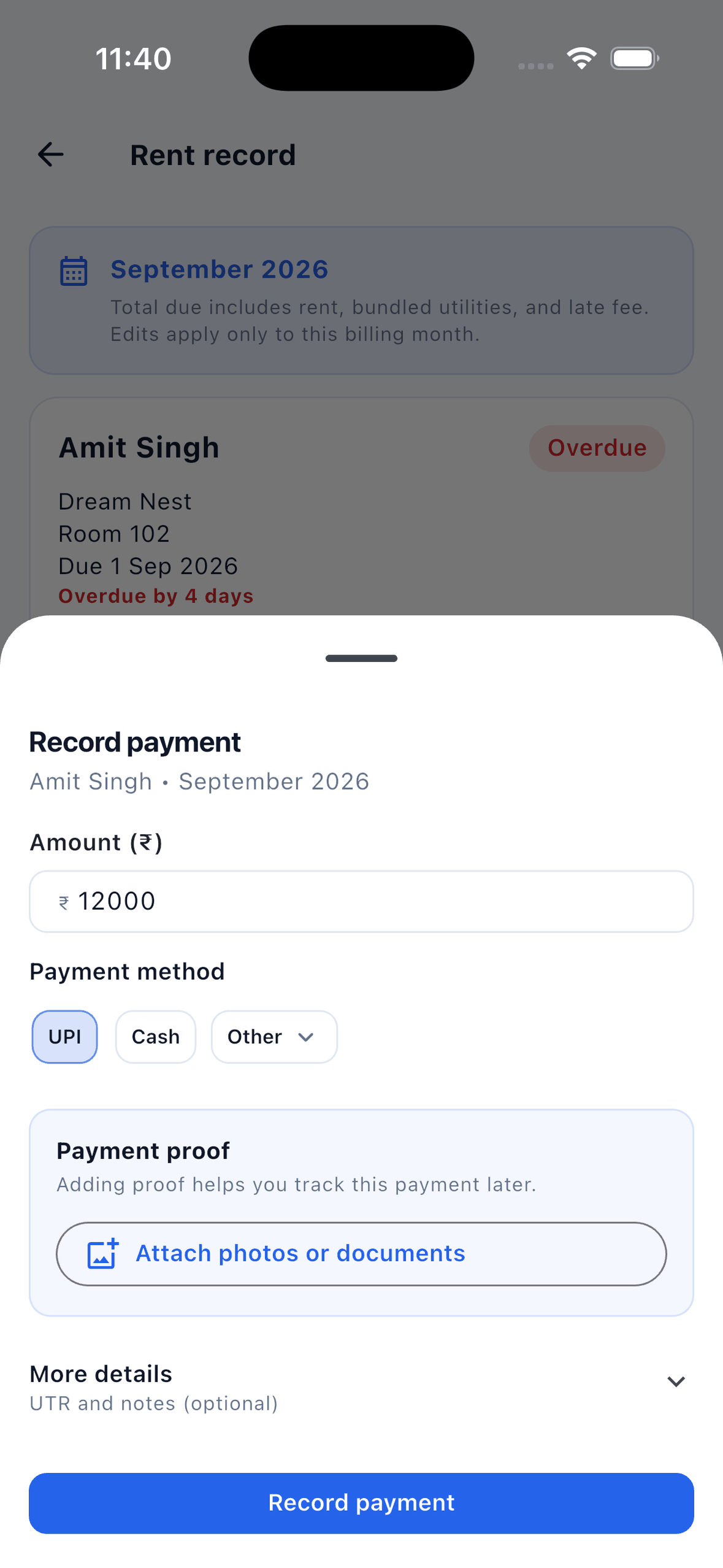
- From then on, EasyAavaas creates each month’s rent record at the full monthly rent and sends automatic rent reminders. You record cash, UPI or other payments with the UTR and proof, or tenants upload proof for you to verify.
- If a tenant still owes an earlier balance, adjust the amount on their current rent record and keep the old months here. Deposits go in the app’s separate deposit record.
Tenants pay you directly by UPI, cash or bank transfer; EasyAavaas records the payment and its verification status and does not move money. It is free forever for owners, staff and tenants. Prepare your room labels, tenants and balances with the owner checklist for moving from a register, and see the full rent management workflow.
Common questions
Is the PG rent register free to download?
Yes. The Excel file is free, needs no signup and contains no macros. Save a copy for each property and keep your filled copy private.
How do I record a tenant who pays rent in two parts?
Add a second row for the same tenant and month with rent due 0 and the second amount, date, method and proof reference. The pending balance on the latest row shows what is still due, and earlier rows show Earlier entry.
Should the security deposit go in the rent register?
No. A deposit is refundable money you hold, not rent received. Record it on the Deposit log sheet so monthly rent totals stay accurate and the refund is easy to settle at move-out.
Does the file work in Google Sheets?
It uses standard formulas such as IF, SUMIFS and COUNTIFS and no macros. If you open it in Google Sheets or another spreadsheet app, check that the Worked example still shows ₹34,950 net due and ₹28,000 received before you rely on it.
Can I import this register into EasyAavaas?
No. EasyAavaas does not import Excel or CSV files. You add tenants in the app, one by one or up to 25 at once from your phone contacts, and keep this file as the record of earlier months.
What changed from version 1?
Version 2 adds payment date, method and proof reference, one row per payment so part payments keep their own proof, Status labels and a separate Deposit log. Version 1 is still available to download.
Free forever for PG owners
Ready to stop updating the register by hand?
EasyAavaas creates each month's rent records, sends rent reminders and lets tenants upload payment proof for you to verify. Free forever for owners, staff and tenants.