

PG Management App vs Excel: Which Is Better for Managing Your PG?
Excel works for small PGs — until rent chasing, occupancy gaps, and WhatsApp chaos take over. Here is an honest comparison to help you decide when to switch.
Updated
Quick answer
A maintained spreadsheet can work when one person owns the records and your workflow is simple. Consider a PG management app when staff need separate permissions, tenants need their own view, or payment evidence and complaints are hard to trace. There is no universal bed-count threshold for switching.
For years, Excel spreadsheets have been the default tool for managing paying guest accommodations in India. A simple sheet can track tenants, rent, vacant beds, electricity charges, and contact numbers. For a small PG, that often feels like enough.
But as occupancy grows, spreadsheets stop scaling. Owners spend more time updating rows, chasing UPI screenshots on WhatsApp, answering the same tenant questions, and reconciling month-end numbers — instead of filling beds or improving the property.
So the real question is not “Excel or app?” It is: has your PG outgrown the spreadsheet?
Why most PG owners start with Excel
Spreadsheets are familiar and flexible. Excel licensing depends on the edition and account; other spreadsheet tools have their own plans. Staff still need clear instructions on who edits which fields and how changes are checked.
- Track tenant names, phone numbers, and room assignments
- Record rent payments month by month
- Monitor which rooms or beds are vacant
- Calculate electricity and utility charges
- Prepare basic month-end summaries for the accountant
For a single property with ten to fifteen tenants, this approach can work reasonably well — especially if one person owns the file and updates it daily.
When Excel still makes sense
If you run one small PG, handle everything yourself, and tenants pay on time without much follow-up, a well-maintained spreadsheet may be enough for now. Revisit the decision when shared access, payment verification or record maintenance becomes difficult.
The problems with managing a PG in Excel

1. Manual rent tracking every month
Every month, rent records need to be updated by hand. Owners routinely spend hours checking UPI screenshots, matching payments to the right tenant, following up on overdue rent, and fixing formula errors across multiple sheets. One wrong cell can turn into a “I already paid” dispute weeks later.
2. No real-time occupancy view
Spreadsheets show data, but not live operational status. Questions like “Which beds are vacant right now?”, “Which room is partially occupied?”, and “Who is moving out this week?” often require walking the property or calling the warden — because the sheet was last updated yesterday.
3. Staff coordination breaks down
Once wardens, accountants, and managers get involved, multiple copies of the same file start circulating — “PG_June_FINAL_v3.xlsx” on three different phones. Nobody is sure who edited what, which version is correct, or who should have access to sensitive tenant data.
4. Complaints get lost in WhatsApp
Maintenance requests live in WhatsApp groups alongside good-morning messages and rent reminders. Messages get buried. There is no status, no assignee, and tenants follow up again and again while managers miss requests entirely.
5. Month-end reporting takes too long
Closing the month often means copying data from rent sheets, utility tabs, and occupancy lists into one report for the accountant. That is hours of manual work — every single month — instead of time spent on operations or filling vacancies.
How a PG management app solves these problems
A dedicated PG management app is built for the workflows spreadsheets were never designed to handle: bed-level occupancy, rent with payment proof, complaint threads, visitor approvals, and exportable reports — all in one place instead of scattered across files and chat groups.
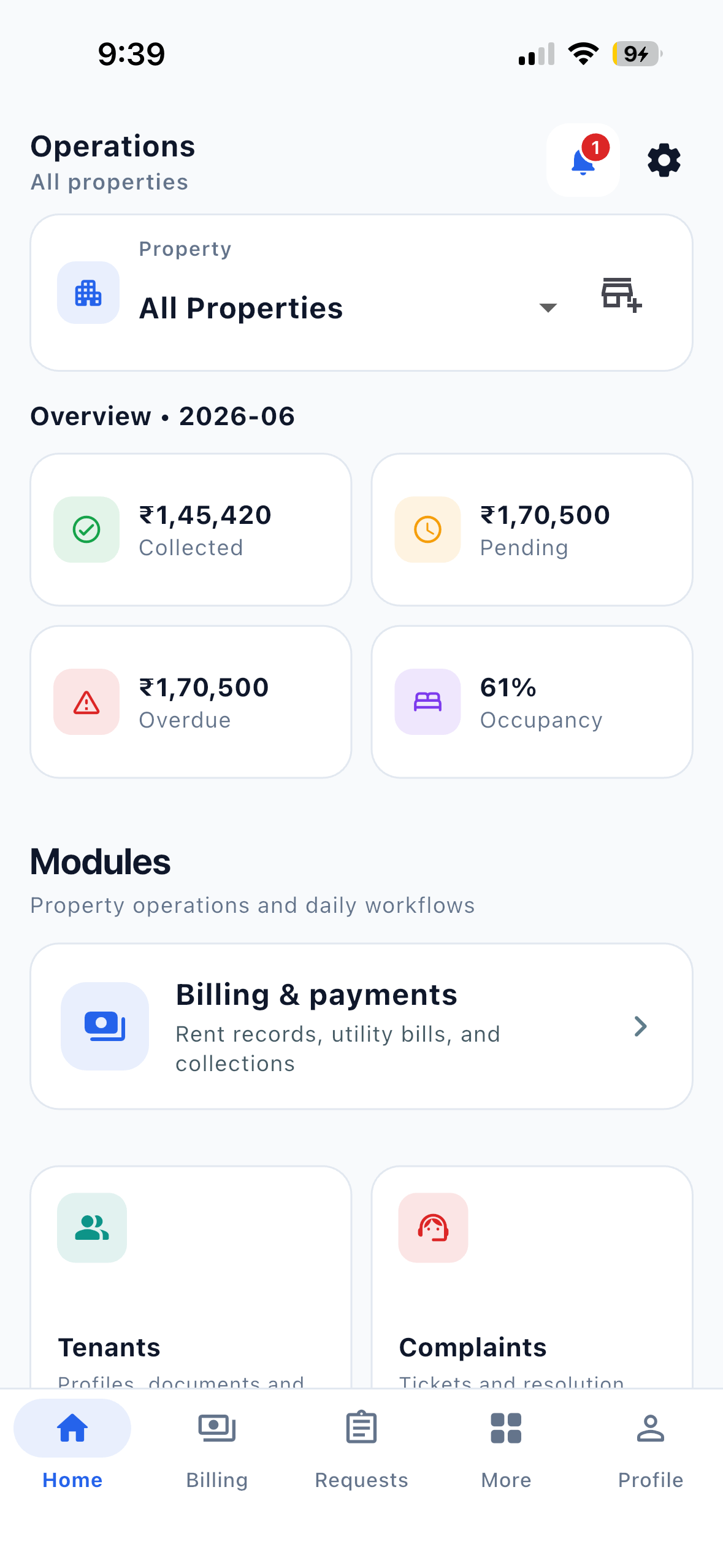
Centralized tenant management
All tenant information lives in one record: contact details, documents, emergency contacts, and bed assignments. When someone moves in or out, you update one system — not five tabs.
Live occupancy at bed level
See vacant beds, partially occupied rooms, and fully occupied floors instantly. That means faster responses to walk-ins and fewer “let me check and call you back” moments.
Structured rent and payment proof
Tenants see what they owe, submit payment with UTR or reference, and attach proof. Staff verify once in a defined workflow — replacing endless screenshot threads. Utilities can be bundled into rent statements so “what is this charge?” disputes are documented.
Complaints and visitors with accountability
Tenants file complaints with photos. Managers track status, assign responsibility, and keep a resolution history. Visitor requests are approved before arrival — so the gate is not guessing who is expected.
Reports ready for your accountant
Instead of rebuilding numbers in Excel every month, owners and permitted staff can export occupancy, rent collection, and tenant lists as Excel or PDF from a reports module — filtered by property and date range.
Excel vs PG management app — side by side
| Feature | Excel | PG management app |
|---|---|---|
| Tenant records | Manual rows; easy to duplicate or delete | Centralized profiles with documents and history |
| Rent tracking | Manual entry; screenshots on WhatsApp | Structured billing with payment proof workflow |
| Occupancy | Accurate when assignments are maintained in the sheet | Bed-level visibility from maintained app assignments |
| Complaints | WhatsApp groups; no status | Dedicated tickets with photos and threads |
| Visitor requests | Phone calls and verbal approval | Digital pre-approval before gate entry |
| Staff permissions | File sharing and sheet protection depend on your tool and setup | Role-based operational access per team member |
| Reporting | Formulas, filters and reports configured by your team | Supported Excel and PDF reports from the Reports module |
| Multi-property | Separate files per PG | Switch properties from one account |
When should you switch from Excel?
A dedicated system becomes worth it when any of these sound familiar:
- You manage more than one PG or co-living property
- Your current record process cannot keep up with move-ins, move-outs and payment checks
- Wardens, accountants, or managers need their own access
- Rent collection and follow-ups eat several hours every week
- Complaints and visitor requests are hard to track or assign
- Month-end reporting delays decisions or accountant handoffs
Use these as discussion points. Try one real operating workflow before switching; the right choice depends on your team, records and setup effort.
Prepare a small, checked setup before switching
Keep an original backup. Prepare property and room/bed labels, current tenant assignments, agreed rent and checked balances. Start with one property through the supported app setup. This website does not offer automatic spreadsheet import. Compare the first records against your source sheet before adding the rest.
Use the owner setup guide for the sequence. If a spreadsheet is sufficient, download the free PG rent register with instructions, fictional examples and a blank monthly sheet.
Final thoughts
Excel is a useful starting point. It is not a failure to have used it — most Indian PG owners have. But PG operations involve far more than rows and columns: rent collection, bed-level occupancy, staff coordination, complaints, visitors, and reporting all need structured workflows.
As your property grows, a PG management app reduces manual work, improves visibility for owners and staff, and gives tenants a clearer, fairer experience. The goal is not software for its own sake — it is fewer disputes, fewer missed requests, and more time running the PG instead of chasing information.
For the full operational playbook, see The complete guide to running a PG, hostel or co-living space in India.