
How to Manage a Small PG Alone: A Normal Day and Month-End for a 24-Bed PG
A practical routine for owners who run a small PG without a manager: what to set up first, what a normal day looks like, and how to close the month.
Quick answer
One person can run a 10–30 bed PG without a manager if the repetitive work runs without them: rent reminders, payment proof and tenant requests. Set up only the essentials first (rooms and beds, tenants, this month's rent and deposits). Then do a short review every day of proof, complaints and visitor requests, and a longer check at month-end. In the free EasyAavaas app, rent reminders go out automatically and tenants submit payment proof, complaints and visitor requests themselves, so you deal with exceptions instead of chasing everyone.
This is a long-form how-to for the owner who is also the manager, the accountant and the person tenants call when the geyser stops working. If you are still deciding whether an app fits your property, the EasyAavaas page for owners is the short overview; this guide walks through the actual routine.
The example property: a 24-bed PG run by one owner
Example with illustrative figures, not a real owner or customer:
- Layout: two floors, 11 rooms, 24 beds (2 single rooms, 5 double-sharing, 4 triple-sharing).
- Tenants: 22 working professionals and students; 2 beds vacant.
- Rent: ₹6,500 to ₹9,000 a bed, due on the 1st, paid mostly by UPI and a little in cash.
- People: the owner, plus a cook and a cleaner. No manager or warden.
- Owner's time: lives nearby, visits once a day, does everything else from the phone.
Minimal setup: what to do first and what can wait
- Create the property with its name, address and type (boys, girls or co-ed).
- Add the 11 rooms, entering how many people stay in each so the app creates the 24 beds, and choose per-bed rent.
- Add the 22 tenants. Pick up to 25 people at a time from your phone contacts and fill in floor, room, bed, rent, deposit and move-in date for each; missing rooms and beds are created as you go.
- Record this month's payments already received and each tenant's deposit, so nobody is reminded for rent they have paid.
- Ask tenants to log in with their own mobile number to see their rent and submit proof.
What can wait: staff accounts (you have no manager), detailed inventory beyond room keys, and electricity bills until the first meter reading. The PG management system setup checklist has the full order with a check after each step.
A normal day running the PG alone
An illustrative weekday in the first week of the month for the example PG:
| When | What happens | What the owner does |
|---|---|---|
| Morning, around 10 am | The app's daily run sends any rent reminders and overdue messages that are due and refreshes overdue counts | Nothing; glances at the notification summary |
| Late morning, 11 am | A tenant pays ₹8,000 by UPI and submits the UTR and screenshot in the app | Opens the UPI app, finds the credit, approves the payment; the tenant is notified |
| Afternoon, 2 pm | A tenant raises a complaint: “geyser not working”, with a photo | Marks it in progress and posts an update the tenant can see: “electrician at 5 pm” |
| Evening, 5 pm | The electrician fixes the geyser | Marks the complaint resolved; the tenant is notified |
| Evening, 6 pm | A tenant registers a guest visiting on Sunday | Approves the visitor request |
| Evening, 7 pm | Another tenant hands over ₹6,500 in cash | Records the payment as Cash on that tenant's rent record |
| Night, 9 pm | Water tank cleaning is planned for tomorrow morning | Publishes one notice to everyone at the property |
What the owner did not do: type a reminder to each of the 22 tenants, scroll through chats to find a screenshot, or reply to “did you get my payment?” messages. When an enquiry comes in for a bed, the rooms screen shows which beds are free in partly occupied rooms.
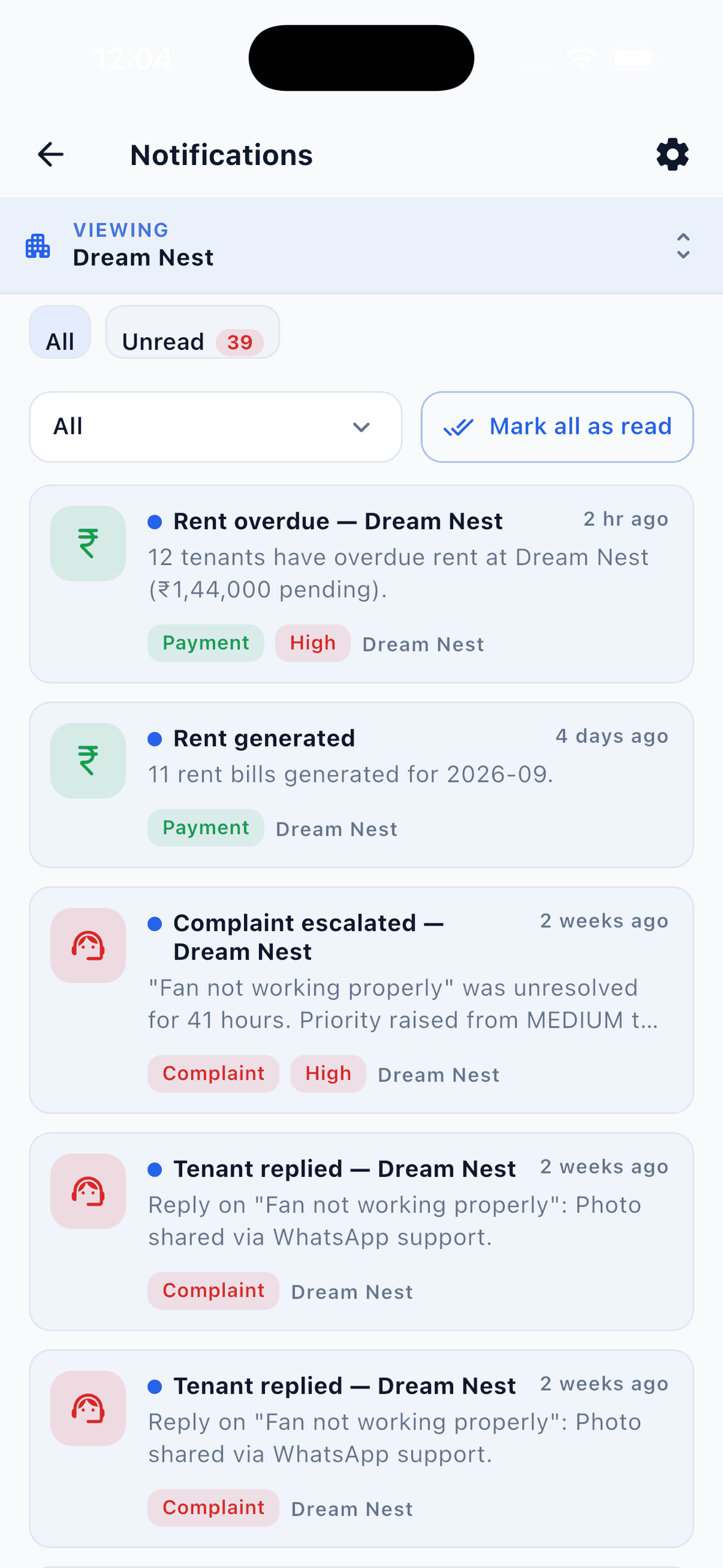
If a complaint stays unresolved for 24 hours, the app raises its priority and alerts you at its next daily run, which is a useful safety net when you are juggling everything yourself.
Month-end for a solo owner
- Electricity. For each room, enter units used (or the previous and current meter readings) and the rate. Split equally, each tenant's share is added to their rent record. Illustrative example: a triple room uses 150 units at ₹9 a unit = ₹1,350, so ₹450 each.
- Check who has not paid. In Billing, filter Pending, Partial and Overdue. The automatic overdue message has already gone, so only the few still unpaid need a personal call. The WhatsApp rent reminder templates help if you prefer a message.
- Clear payment proof awaiting review, approving only what you can see in your UPI or bank history.
- Match money to records by hand. EasyAavaas does not connect to your bank, so compare the Rent Ledger with your UPI history, bank statement and cash.
- Handle move-outs. For anyone leaving, settle rent, collect keys and refund the deposit or mark it refund later. The app will not complete a move-out until these are done, which stops a bed being freed with money still owed.
- Look ahead at vacancies. Count vacant beds and tenants serving notice, and start finding replacements.
- Export the Rent Ledger and Property Summary as Excel or PDF and save them with the month in the file name.
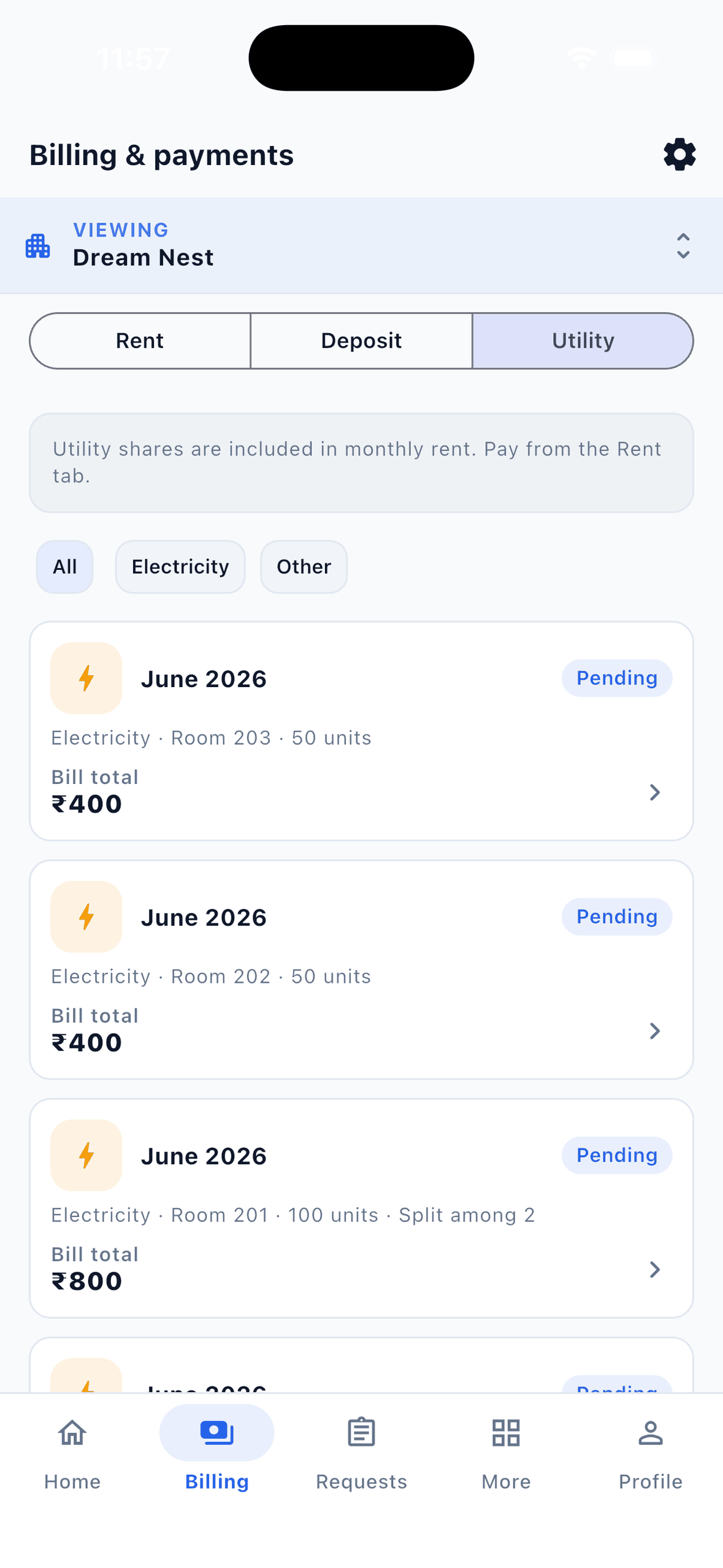
For the complete close, including deposits, extra charges and open complaints, see the PG month-end checklist.
Where the fewer manual follow-ups come from
| Follow-up | Alone with a notebook and WhatsApp | Alone with EasyAavaas |
|---|---|---|
| Rent reminder | One message per tenant, every month | Automatic, three days before the due date and after the grace period |
| “Did you get my payment?” | Search your UPI app and reply | Tenant submits proof; you approve and they are notified |
| “How much do I owe?” | Check the register and reply | Tenant sees their own rent record |
| Complaint status | Repeated calls and messages | Tenant sees updates you post and is notified when resolved |
| Guest at the gate | A call to you each time | Tenant registers the visitor; you approve |
| Notice to everyone | Group message plus individual forwards | One notice to all active members |
Optional: run routine tasks from WhatsApp
Solo owners often live in WhatsApp already. With the EasyAavaas WhatsApp assistant you can ask “who has rent pending?”, record a cash payment, note a complaint or send a notice to tenants only, in English, Hindi or Hinglish, and confirm each change on a card before it is saved. The assistant is included free after your account is activated; message the EasyAavaas team on WhatsApp at +91 78787 65818 to request access. Reminders and notices work without it.
When a solo owner should bring in help
- Payment proof waits more than a day or two for review.
- You are travelling and cannot visit the property.
- You add a second property.
- Complaints keep escalating because nobody is on site.
Add a warden or caretaker with their own login and only the permissions they need, for example complaints and visitors but not rent. You can change those permissions later. See role-based access control for how permissions work.
Limits to plan around
- EasyAavaas runs on Android and iPhone; there is no owner web dashboard.
- Expenses are not tracked; keep salaries and groceries in a notebook or sheet.
- The app does not create rent receipts; use the free PG rent receipt template when a tenant needs one.
- A single bed cannot be reserved or blocked; keep expected arrivals on a separate list.
- The rent due day and reminder timing are set for your property by the EasyAavaas team; message them to change it.
- Tenants pay you directly; EasyAavaas records payments but never collects money or reconciles your bank.
Common mistakes when managing a PG alone
- Setting up everything at once instead of rooms, tenants and rent first.
- Approving payment proof without checking the money arrived.
- Leaving cash unrecorded until the weekend.
- Letting a tenant leave before rent, keys and deposit are settled.
- Keeping a second paper register “just in case” that slowly disagrees with the app.
Can one person manage a PG without a manager?
Yes, for many 10–30 bed PGs, provided rent reminders, payment proof and tenant requests do not all depend on you typing and replying. A short daily review and a month-end check keep the records current.
What is the minimum setup for a small PG app?
The property, its rooms and beds, the tenants on their actual beds, this month's rent and payments, and deposits. Staff accounts, detailed inventory and electricity bills can wait until you need them.
Is EasyAavaas suitable for a 10-bed PG?
Yes. There is no minimum size and no limit on beds or properties. EasyAavaas is free forever for owners, staff and tenants, with no per-bed fee.
Do I need staff accounts if I run the PG alone?
No. You can do everything from the owner account. Add a warden or caretaker with their own login later if you need help, and give them only the permissions they need.
Can I manage the PG while travelling?
Yes, from your phone: approve payments, record cash, update complaints and publish notices in the app, or through the WhatsApp assistant once your account is activated. For anything that needs someone on site, add a local helper with limited permissions.